

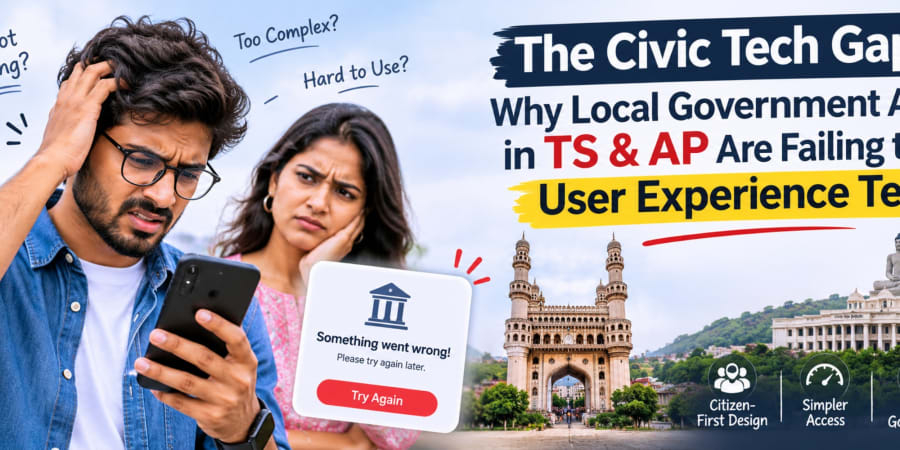
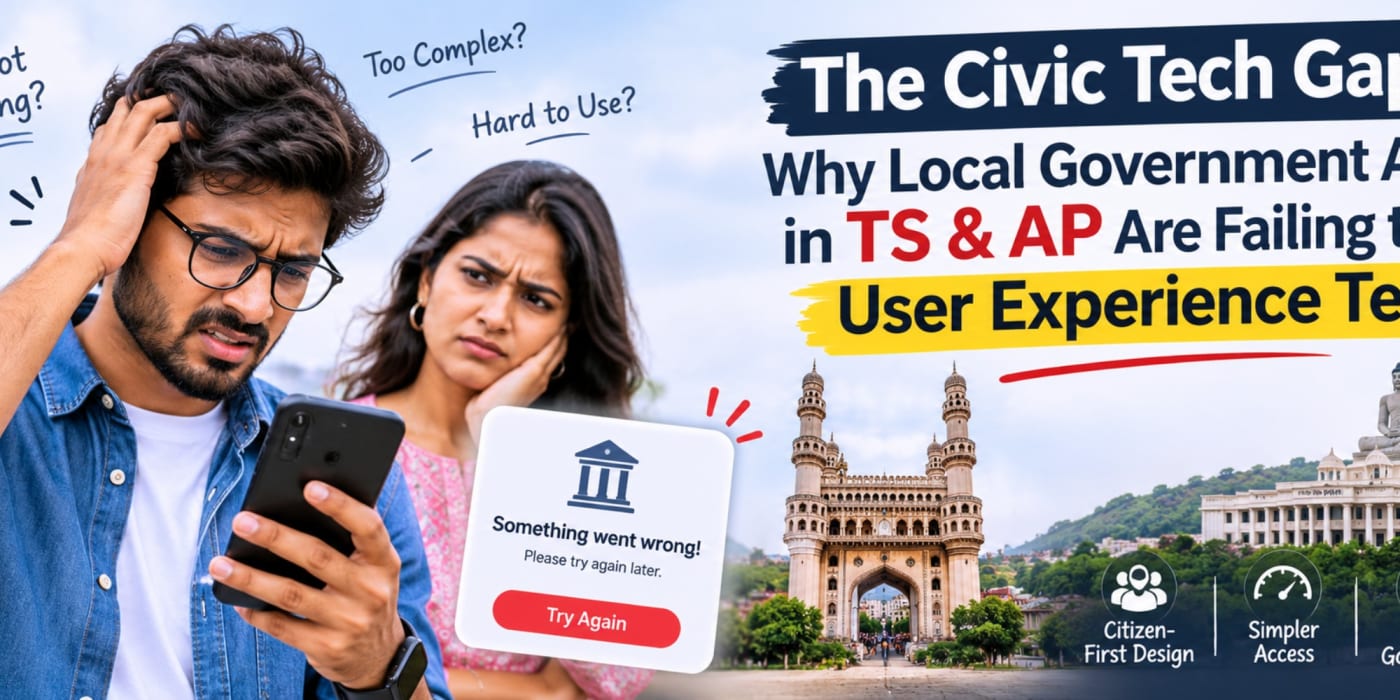
Imagine downloading a government app to report a pothole, upload a photograph of overflowing waste, or register for a local water initiative. You fill in the details, tap “Upload Photo,” and wait. The loading indicator spins endlessly. Eventually, the app freezes, and your complaint disappears into uncertainty.
For citizens, this is more than a frustrating digital experience. It raises a fundamental question: if public services are moving online, why can basic digital interactions still feel so difficult?
Across Telangana (TS) and Andhra Pradesh (AP), digital public services have the potential to make civic participation faster, more transparent, and more accessible. But successful digital governance requires more than putting a form inside a mobile app. It requires reliable infrastructure, thoughtful user experience design, and operational processes that connect a citizen's submission to real-world action.
At NextCode, we believe that examining these challenges is an important step toward building more usable and dependable digital services.
The Promise and Reality of Civic Technology
Digital public services can reduce paperwork, simplify registrations, improve access to information, and give citizens a convenient way to communicate with government departments. A well-designed municipal app can help residents submit complaints, follow service requests, receive updates, and understand what action has been taken.
However, moving a service online does not automatically make it easier to use. A poorly designed digital process can reproduce the inconvenience of a physical office while adding new barriers, such as unreliable uploads, confusing forms, inaccessible interfaces, or unclear complaint statuses.
For residents in Telangana and Andhra Pradesh, civic applications need to work across a diverse range of devices, network conditions, languages, and levels of digital familiarity. A service that performs well on a fast office connection may behave very differently on an older smartphone using a congested mobile network.
The challenge is not simply to launch more applications. It is to ensure that they are dependable when citizens need them.
Evaluating civic technology therefore requires two perspectives:
- The digital experience: Can a citizen complete the task quickly, confidently, and without unnecessary technical obstacles?
- The service outcome: Does the submission reach the appropriate department, trigger the correct workflow, and result in meaningful action?
Both are essential. An attractive interface cannot compensate for a broken backend, and a technically reliable application cannot deliver public value if its workflows fail to resolve citizens' needs.
The Media Bottleneck: Why Photo Uploads Fail
Photographs can provide valuable evidence in civic reporting. An image of a damaged road, a leaking pipeline, an overflowing drain, or an uncollected waste pile can help a department understand the reported issue.
But photographs also introduce a technical challenge: large files must travel from the citizen's device through the network, reach the application's backend, and be stored or processed reliably. If any part of that journey is inefficient, the upload may be slow or fail entirely.
1. High-Resolution Images Create Unnecessary Load
Modern smartphones can produce photographs that are several megabytes in size. If an application uploads these files at their original resolution, a single complaint may consume more bandwidth and processing time than the task requires.
When many citizens submit reports simultaneously, the combined traffic can increase pressure on application servers, network connections, storage services, and image-processing components.
The problem is not necessarily that a server is incapable of handling images. It may be that the upload process has not been designed for realistic file sizes, concurrent traffic, and mobile network variability.
2. Uploads May Pass Through Too Many Backend Steps
In a tightly coupled architecture, a photo submission might pass through the main application server, authentication checks, validation logic, image processing, and database-related operations before the user receives a response.
If a slow or overloaded component holds the request open, the entire interaction may feel frozen. Poor timeout handling can make matters worse by leaving the citizen unsure whether the photograph was received.
3. Network Interruptions Can Break the Experience
Mobile connectivity is not always consistent. Citizens may submit complaints while travelling, standing near a damaged road, or working in locations with weak coverage. A conventional upload that restarts from the beginning after a temporary interruption can waste time and data.
Applications should be designed to handle slow connections, interrupted transfers, retry attempts, and uncertain outcomes without forcing users to repeat the entire process unnecessarily.
4. Backend Capacity May Not Match Peak Demand
Public-service applications can experience sudden traffic spikes during severe weather, water-supply disruptions, sanitation campaigns, public announcements, or other local events. Infrastructure that performs adequately during ordinary usage may struggle when many users submit information at once.
Without monitoring upload duration, error rates, server load, and storage performance, teams may struggle to identify where the bottleneck occurs.
5. Poor Feedback Makes Technical Problems Worse
Sometimes an upload is progressing slowly rather than failing. If the interface shows only a spinning icon, users have no way to distinguish between a slow connection, a server problem, and a frozen application.
Useful feedback should indicate progress where possible, explain failures in plain language, and allow users to retry without losing previously entered information.
The key lesson: A reliable upload experience depends on the complete submission pipeline, not just the speed of one server. File size, connectivity, API design, storage, processing, and interface feedback all contribute to the outcome.
When Basic UX Becomes a Public-Service Barrier
User experience (UX) is sometimes treated as a visual layer added after the technical work is complete. In civic technology, it is part of the service itself.
If citizens cannot understand a form, submit a photograph, identify the correct department, or check the status of a complaint, the underlying service becomes harder to access—even if the backend is functioning as designed.
Too Many Steps for a Simple Task
Reporting a pothole should not require citizens to navigate several unrelated screens or enter information that the application already knows. Unnecessary fields and unclear instructions increase abandonment, particularly on small screens.
Unclear Language and Terminology
Administrative terminology may be familiar to department staff but confusing to residents. Where feasible, civic apps should use plain language, provide appropriate local-language support, and explain what information is required and why.
Accessibility Is Often Overlooked
Small touch targets, low-contrast text, unlabelled controls, and interfaces that depend entirely on visual cues can make applications difficult for people with disabilities or limited digital confidence.
Accessibility should be considered from the start, including screen-reader support, readable text, clear focus indicators, and understandable error messages.
Citizens Need Confidence, Not Just Confirmation Screens
A message such as “Submitted successfully” is useful only if the submission has actually been recorded. Citizens need a reference number, a clear explanation of the next step, and a way to return to the request later.
For civic apps serving communities across TS and AP, a strong user experience means designing for real-world conditions—not just demonstrating a smooth journey on a developer's device.
The Illusion of “Ticket Resolved”
One of the most important challenges in digital public services goes beyond technology. It is the gap between a complaint's digital status and the real-world condition that prompted the complaint.
Imagine a resident reporting a pothole. The application generates a complaint number, assigns the request to a department, and later displays “Resolved.” Yet the pothole remains. From the citizen's perspective, the service has not succeeded.
This is a possible failure pattern in complaint-management systems, not a claim that every municipal application in Telangana or Andhra Pradesh behaves this way. It illustrates why digital status updates must be connected to operational accountability.
Why Can This Disconnect Happen?
- Status changes are treated as the outcome: A workflow may record that a task has been closed without verifying the physical work.
- Responsibility is unclear: A complaint may move between teams without a clearly accountable owner.
- Evidence is incomplete: The system may not require an explanation, supporting evidence, or verification before closure.
- Performance metrics reward speed alone: Teams may focus on reducing closure time instead of improving the quality and durability of the result.
- Citizen feedback is missing: The resident may have no easy way to confirm whether the issue has genuinely been addressed.
From Digital Closure to Verified Resolution
A more accountable workflow distinguishes between a complaint being received, assigned, inspected, acted upon, and verified. These stages should reflect the actual process used by the responsible department.
For example, a road-maintenance complaint might move through the following sequence:
- Complaint received and assigned a reference number.
- Responsible team or department identified.
- Site inspection or initial assessment recorded.
- Repair work scheduled and completed.
- Completion evidence recorded where appropriate.
- Resolution verified through an established process, with a way for the citizen to provide feedback or reopen the issue if necessary.
Not every complaint requires every stage, and verification methods should be proportionate to the service. The important principle is that the status must accurately represent what has happened.
Digital governance should make the relationship between a citizen's report and the department's response more transparent—not simply make the complaint disappear from a queue.
The Technical and Operational Causes Behind the Gap
When a civic app performs poorly, it is tempting to blame a single component. In reality, the problem may span software architecture, network conditions, user-interface design, departmental processes, and performance measurement.
Legacy Systems and Tightly Coupled Services
Some applications may rely on older systems or tightly connected components that are difficult to scale independently. A change in one part of the application may affect other functions, and a heavily loaded component may slow down the broader workflow.
However, a legacy system is not automatically unreliable, and microservices are not automatically better. The right architectural choice depends on traffic patterns, team capabilities, operational requirements, and the existing system.
Limited Observability
Without useful logs, metrics, and distributed tracing, teams may know that an upload failed but not whether the cause was a large file, an API timeout, a storage error, or a network interruption.
Performance monitoring should measure the complete user journey, including upload completion, submission confirmation, complaint creation, and status retrieval.
Disconnected Citizen and Department Workflows
An app may collect information successfully while the internal department process remains dependent on manual transfers, separate records, or unclear ownership. In such cases, improving the mobile interface alone will not resolve delays or accountability problems.
Insufficient Testing Under Realistic Conditions
Testing only with fast Wi-Fi and a small number of users can miss problems that emerge on older devices, weaker connections, or during periods of high demand. Realistic testing should include large files, interrupted connections, concurrent requests, and repeated submissions.
Before selecting a technical solution, teams should establish what is actually failing through measurements and user research. This helps avoid expensive architectural changes that do not address the real bottleneck.
The Fix: Leaner Cloud Architecture and Smarter Media Processing
Improving civic applications does not necessarily require replacing an entire system. A focused modernization effort can begin with the slowest or most failure-prone part of the user journey and expand as evidence supports further changes.
1. Compress Images Before Upload
One practical improvement is to resize and compress photographs on the user's device before uploading them. A civic app usually needs enough detail to assess a reported issue, but it may not need the full-resolution image produced by a modern smartphone.
Client-side image processing can reduce the amount of data sent over the network, shorten upload times, and lower bandwidth consumption. The implementation should preserve sufficient image quality and handle supported formats consistently.
2. Use Photo-Compression Libraries or APIs Appropriately
Developers can evaluate image-processing libraries that run on the device or server-side image-processing services. A third-party API may be useful where its capabilities, costs, privacy terms, and reliability fit the application.
However, sending every original image to an external service for compression before uploading it to the main application may introduce an additional network hop and make the process slower. For many mobile use cases, local compression is a sensible first option to evaluate.
When a third-party service is used, public-sector teams should review data residency requirements, security controls, retention policies, service availability, and procurement obligations. Images may contain faces, vehicle registration plates, addresses, or other identifying information.
3. Support Direct-to-Object-Storage Uploads
In suitable architectures, the application backend can authorize an upload and provide the client with a short-lived, restricted upload URL. The mobile app then sends the compressed image directly to approved object storage instead of routing the entire file through the main application server.
This pattern can reduce the work performed by the application server and improve scalability. It must be implemented with appropriate authentication, upload restrictions, file validation, access controls, and protection against malicious content.
4. Process Images Asynchronously
Some tasks, such as generating thumbnails, checking file properties, or preparing images for internal review, do not need to block the citizen's submission screen.
A background processing queue can handle these tasks after the upload has been accepted. The user should receive a reliable confirmation of the complaint submission without waiting for every downstream process to finish.
The system must still track processing failures and provide a way to retry them. Asynchronous processing should improve responsiveness without losing or silently discarding citizen submissions.
5. Use Cloud Services That Scale to Actual Demand
Cloud infrastructure can provide options for scaling compute resources, separating storage from application processing, and monitoring service performance. Teams should choose an architecture that fits their expected load and operational capacity.
For some applications, a well-structured modular backend may be simpler and more cost-effective than a large microservices architecture. Microservices are worth considering when components have distinct scaling needs, clear boundaries, and teams capable of operating them reliably.
6. Make Uploads Resilient
Reliable upload flows should provide clear progress feedback, sensible timeouts, controlled retry behavior, and recovery from temporary network interruptions. For larger files, resumable uploads may be appropriate.
Submission requests should also be designed to prevent accidental duplicates when a user retries after an uncertain response. A complaint should not be created multiple times simply because the confirmation message failed to reach the device.
7. Measure the Results
After implementation, teams should compare performance against a baseline. Useful indicators include upload success rate, median and high-percentile upload duration, API error rates, complaint-creation failures, duplicate submissions, and the time required to retrieve a complaint's status.
The objective is not to adopt the newest technology for its own sake. It is to make a measurable improvement to the citizen's experience and the reliability of the service.
Designing Complaint Tracking Around Real Outcomes
Technical reliability is only one part of civic-tech modernization. The system also needs to represent the work performed by the responsible department accurately and make the process understandable to citizens.
Use Clear, Meaningful Statuses
Replace vague or overly broad status labels with descriptions that communicate the next step. For example, “Received,” “Assigned,” “Inspection Scheduled,” “Work in Progress,” and “Awaiting Verification” may be more informative than a simple sequence of generic progress indicators, provided they match the actual departmental process.
Make Ownership Visible
Every complaint should have an identifiable responsible team or role, an appropriate priority, and a defined escalation process. If a request is transferred, the system should preserve its history and record why the transfer occurred.
Preserve an Audit Trail
Record important status changes, timestamps, assignments, completion notes, and relevant evidence. Access to these records should be controlled, and retention should follow applicable public-sector and privacy requirements.
Make Verification Proportionate to the Task
Some issues can be resolved through a straightforward administrative update, while physical repairs may need additional evidence or inspection. Verification should be designed around the service rather than imposed as a one-size-fits-all process.
Invite Feedback Without Making It a Barrier
Citizens should have a straightforward way to report that an issue remains unresolved. Feedback can trigger reassessment or reopening according to the department's policy. A lack of response from the citizen should not automatically be interpreted as proof that a physical problem has been fixed.
Measure Service Quality, Not Just Closure Speed
Useful performance indicators include time to first response, time to verified resolution, repeat complaints, reopened cases, overdue requests, and citizen feedback. Results should be interpreted in context, since different complaint types require different amounts of time and effort.
A well-designed complaint system connects software events to operational responsibility. Its success should be judged by the quality and transparency of the service, not merely by how quickly records move off a dashboard.
A Practical Modernization Roadmap
For government departments, civic-tech vendors, and implementation teams, the most effective modernization strategy is often a focused pilot followed by evidence-based improvements.
Phase 1: Identify the Citizen Journey That Fails
Choose a specific workflow, such as reporting a road defect with a photograph. Observe how citizens currently use the app and identify where they abandon the process, receive errors, or struggle to understand what happens next.
Phase 2: Establish a Performance Baseline
Measure upload duration, failure rates, API response times, complaint-creation success, and the time required to retrieve status updates. Separate client-side problems from backend and network issues wherever possible.
Phase 3: Implement the Smallest Useful Fix
Depending on the findings, this could mean client-side image compression, improved validation, clearer progress indicators, more reliable retries, or a storage architecture change. Avoid introducing unnecessary complexity before the bottleneck is understood.
Phase 4: Improve the Complaint Workflow
Review how complaints are assigned, escalated, updated, and closed. Make sure the digital statuses reflect actual departmental actions and that unresolved cases can be flagged through a clear process.
Phase 5: Test for Real-World Conditions
Test on a range of supported devices, different network conditions, and realistic traffic volumes. Include privacy and security checks, accessibility testing, and scenarios where uploads or downstream services fail.
Phase 6: Run a Controlled Pilot
Introduce the improved workflow in a limited setting where practical. Compare results with the baseline, gather citizen and staff feedback, and document issues before expanding the change.
Phase 7: Monitor and Improve Continuously
Set up alerts for elevated failure rates, slow uploads, processing backlogs, and unresolved complaints. Assign clear ownership for incidents and review performance regularly rather than waiting for citizens to report recurring problems.
NextCode's Perspective: Building Civic Technology Around People
At NextCode, we see civic technology as a practical engineering challenge with a human outcome. A government application is not successful simply because it has been launched or because a citizen can submit a form. It should help people complete tasks reliably and make it easier for the responsible organization to act on the information received.
As a growing technology startup, NextCode is focused on developing practical digital capabilities through research, testing, and thoughtful implementation. Challenges such as media upload performance, cloud architecture, API reliability, and transparent workflow design offer important opportunities to build better digital experiences.
Start with Evidence, Not Assumptions
Before recommending a technical change, we believe teams should understand the failure pattern. Is the upload too large? Is the network unreliable? Does the backend process files synchronously? Does the complaint reach the right team? The answers determine which intervention is most appropriate.
Choose Technology That Fits the Problem
Image compression, object storage, asynchronous processing, modular backends, and microservices are tools—not goals in themselves. A practical solution uses the simplest architecture that meets reliability, security, performance, and maintenance requirements.
Connect Digital Workflows to Real Outcomes
We also believe that user experience extends beyond the screen. Complaint statuses, escalation processes, audit trails, and verification mechanisms should be designed so that citizens can understand what has happened and departments can manage work more effectively.
Build, Test, Learn, and Improve
Not every application requires a complete rebuild. A focused pilot, measurable performance goals, and feedback from actual users can help teams prioritize improvements and make informed decisions about further investment.
For organizations exploring improvements to civic applications or other citizen-facing services, NextCode's approach begins with understanding the workflow, defining a realistic scope, and evaluating the most appropriate technical options.
Building Better Digital Experiences Starts with the Right Questions
Exploring a civic-tech platform, improving an existing application, or planning a more reliable upload and complaint workflow? Connect with NextCode to discuss your requirements and identify practical opportunities for improvement.
Discuss Your ProjectFrequently Asked Questions
1. What is the civic tech gap?
The civic tech gap is the difference between what digital public services are expected to deliver and what citizens can actually accomplish through them. It may involve usability problems, unreliable infrastructure, inaccessible interfaces, fragmented workflows, or a lack of accountability for service outcomes.
2. Why might a government app's photo upload fail?
Possible causes include large image files, weak network connectivity, API timeouts, server capacity limits, storage errors, or inefficient image-processing workflows. Identifying the actual cause requires performance monitoring and testing rather than assuming that one specific component is responsible.
3. How can image compression improve civic apps?
Compressing and resizing images before upload can reduce file sizes, bandwidth consumption, and transfer times. The application should preserve enough image detail for the intended task and should handle failures without losing the citizen's complaint information.
4. Should civic apps use third-party photo-compression APIs?
They can, where the service meets technical, security, privacy, cost, and procurement requirements. Client-side compression may be a better starting point for many mobile applications because it can reduce file sizes before network transfer. Teams should evaluate the trade-offs before selecting an approach.
5. Are microservices always the best solution for government applications?
No. Microservices can allow independent scaling and deployment of separate components, but they also introduce operational complexity. A modular monolith or other simpler architecture may be more suitable for some applications. The choice should be based on measured requirements and the team's ability to operate the system.
6. How can citizens' complaints be tracked more transparently?
Applications can provide unique reference numbers, meaningful status updates, clear responsibility assignments, timestamped histories, and a defined process for escalation or reopening. For physical work, appropriate verification may be needed before a complaint is marked as resolved.
7. How should civic apps protect photographs submitted by citizens?
They should use secure transmission, appropriate access controls, restricted storage permissions, validated file handling, and clear retention policies. Teams should also consider whether images contain personal information and ensure that any third-party processing complies with applicable privacy and security requirements.
8. How can a civic-tech team measure whether an app has improved?
Useful measures include upload success rate, upload duration, application error rates, successful complaint creation, time to first response, verified resolution time, reopened complaints, and user feedback. Measurements should be compared with a baseline and interpreted according to the type of service.
Conclusion: Better Digital Services Must Deliver Real Results
Civic technology has the potential to make public services more accessible, transparent, and responsive. But achieving that potential requires attention to the complete experience—from the moment a citizen opens an application to the moment a real-world issue is addressed.
Reliable photo uploads depend on efficient media processing, resilient network interactions, suitable cloud architecture, and clear user feedback. Trustworthy complaint tracking depends on meaningful statuses, accountable workflows, and verification that reflects the service being delivered.
For organizations working to improve citizen-facing applications in Telangana, Andhra Pradesh, and beyond, the best starting point is to identify the real problem, measure its impact, and implement focused improvements that can be tested in practice.
Ultimately, the success of civic technology should not be measured by the number of apps launched or tickets closed. It should be measured by whether citizens can use digital services with confidence—and whether those services help turn reported problems into meaningful action.