
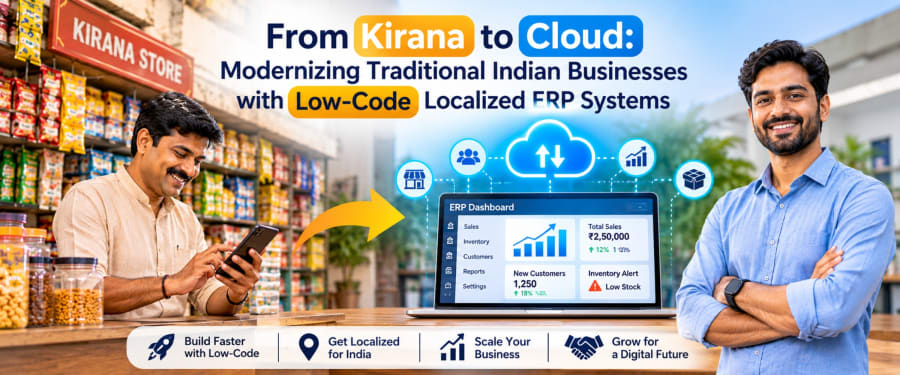
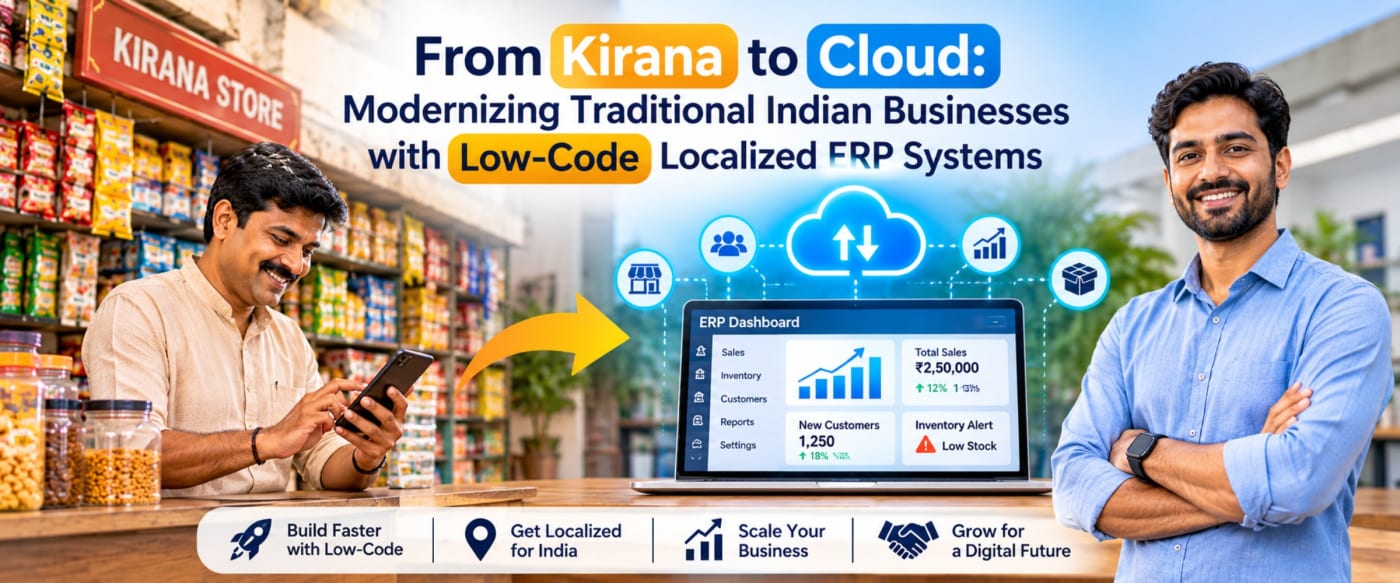
India's traditional businesses are entering a new phase of digital transformation. Discover how low-code technology and localized ERP systems can help kirana stores, wholesalers, distributors, and family-run enterprises simplify operations, improve visibility, and prepare for sustainable growth.
Introduction: India's Traditional Businesses Meet the Digital Era
From neighborhood kirana stores and family-owned wholesalers to regional distributors and small manufacturers, traditional Indian businesses are an essential part of the country's economy. Their strengths often lie in personal relationships, local market knowledge, flexible service, and years of experience managing customer needs.
However, as businesses grow, the methods that once worked well can become difficult to manage. Stock may be tracked in notebooks, supplier payments recorded in spreadsheets, sales handled through separate billing tools, and customer information stored across multiple systems. These disconnected processes can make it harder to understand profitability, control inventory, and respond quickly to changing demand.
Enterprise Resource Planning (ERP) systems offer a way to connect these activities. Traditionally, ERP adoption has been associated with large organizations, lengthy implementations, and substantial costs. Low-code development and localized software design are creating new possibilities for smaller businesses that need practical functionality without unnecessary complexity.
The goal is not to replace everything that makes a traditional business successful. It is to give business owners better tools to preserve those strengths while improving everyday operations.
Why Traditional Business Operations Need Modernization
Many small and medium-sized businesses have grown using familiar, manual processes. These processes are not inherently ineffective, but they can become difficult to coordinate when transaction volumes increase, additional branches open, or more employees become involved.
1. Inventory Visibility Is Limited
Without a centralized inventory record, owners may struggle to identify fast-moving products, slow-moving stock, low-stock items, or differences between recorded and actual quantities. Overstocking ties up working capital, while stockouts can lead to lost sales and disappointed customers.
2. Business Information Is Fragmented
Sales, purchases, expenses, customer records, and supplier balances may exist in different applications or physical records. Preparing a reliable picture of business performance then requires additional manual work and reconciliation.
3. Billing and Compliance Require Attention
Indian businesses may need to manage GST-related records, invoices, returns preparation, and other regulatory requirements depending on their registration status, turnover, transaction types, and applicable rules. Disconnected records can increase the effort required to review transactions and prepare information for accounting or compliance workflows.
4. Growth Adds Operational Complexity
A process that works for one shop may become difficult to maintain across multiple locations. Owners need clearer visibility into branch-level sales, stock movement, purchasing, staff activity, and outstanding payments.
5. Digital Tools May Not Match Local Workflows
Some businesses find that generic software does not fit their pricing practices, product units, local-language preferences, credit arrangements, or established ways of working. If a system feels unfamiliar or requires too many steps, employees may avoid using it consistently.
Modernization works best when technology addresses these everyday operational problems rather than introducing complexity for its own sake.
What Is a Localized ERP System?
An ERP system connects important business functions through a shared operational platform. Instead of maintaining separate records for every activity, employees can work with information that is connected across inventory, sales, purchasing, accounting workflows, and reporting.
A localized ERP system adapts this functionality to the business environment in which it will be used. For Indian small businesses, that may include support for rupee-based transactions, GST-related workflows, local business terminology, familiar billing processes, regional-language interfaces, and common retail or distribution practices.
What Localization Can Include
- Regional language options: Interfaces and labels that help employees work in a familiar language where supported.
- Local tax workflows: Configurable tax categories and invoice fields aligned with applicable business requirements.
- Flexible units and pricing: Support for relevant product units, pack sizes, wholesale rates, and retail pricing.
- Credit and payment tracking: Records of customer dues, supplier balances, and payment status.
- Local business practices: Workflows suited to the organization's purchasing, sales, returns, and approval processes.
- Mobile-friendly access: Interfaces designed for practical use on supported phones, tablets, and computers.
Localization does not mean creating a completely different system for every customer. A well-designed platform can provide a common foundation while allowing selected fields, workflows, reports, and permissions to be configured for different businesses.
How Low-Code Technology Makes ERP More Accessible
Low-code development uses visual design tools, reusable components, configurable workflows, and limited amounts of custom code to build business applications. It can reduce the effort needed to create or modify certain features compared with developing every component from scratch.
For traditional businesses, this approach can make ERP customization more practical, provided the platform is selected carefully and the implementation is well planned.
1. Faster Configuration of Business Workflows
A business may need a particular approval step for purchases, a custom field on sales orders, or a report showing outstanding customer balances. Where the low-code platform supports these capabilities, such changes can often be configured without rebuilding the entire application.
2. Reusable Components
Common functions such as customer records, product lists, forms, approval steps, and notifications can be reused across different workflows. Reuse can improve consistency and reduce duplicated development effort.
3. Incremental Modernization
Instead of implementing every module at once, a business can start with a focused application, such as inventory tracking or purchase management, and expand after the initial workflow is working reliably.
4. Adaptability as Business Needs Change
Growing businesses frequently adjust their processes. Low-code tools may help teams modify supported workflows and interfaces as these needs evolve, while more complex requirements can still be addressed through custom development or integrations.
5. A More Manageable Starting Point
Low-code can lower the initial development effort for suitable projects. However, it does not automatically make every ERP inexpensive or simple. Licensing, integrations, data migration, security, testing, support, and future maintenance must all be considered when estimating the total cost.
Essential Features of a Localized ERP for Indian Businesses
An effective ERP should reflect the actual needs of its users. For a kirana store, a distributor, and a small manufacturer, the priorities may be different. A modular approach allows businesses to begin with the features that solve their most urgent problems.
1. Inventory and Stock Management
Inventory management should provide a clear view of stock quantities, receipts, sales, returns, adjustments, and reorder levels. Depending on the business, it may also need batch tracking, expiry dates, barcode scanning, or multiple-unit support.
2. Sales and Billing
A connected sales module can record transactions, apply configured pricing rules, track returns, and update inventory. Businesses should confirm that billing capabilities match their transaction types and any applicable invoicing requirements.
3. Purchase and Supplier Management
Purchase orders, goods receipts, supplier invoices, and payment status can be connected to help teams track what they ordered, what they received, and what they still owe.
4. Customer Credit and Receivables
For businesses that regularly sell on credit, the ability to view outstanding balances, payment histories, and due dates can improve follow-up and cash-flow visibility.
5. GST-Related Records and Reporting
Depending on the business's requirements, an ERP may support tax classification, invoice records, relevant report exports, and integrations with accounting or compliance tools. E-invoicing, e-way bills, and other regulatory processes should be implemented only where applicable and kept aligned with current requirements.
6. Dashboards and Business Reports
Owners need actionable information rather than large volumes of raw data. Useful reports may include daily sales, gross margin estimates, inventory valuation, fast-moving products, pending purchases, customer dues, and branch-level performance.
7. Role-Based Access and Audit Trails
Not every employee needs access to every function. Role-based permissions, activity logs, secure authentication, backups, and appropriate data-handling practices help protect business information and support accountability.
8. Integration with Existing Tools
Depending on the platform and available interfaces, an ERP may connect with accounting software, payment services, e-commerce channels, barcode devices, or other business systems. Integration feasibility should be verified before implementation.
Key Benefits of Moving from Kirana to Cloud
Better Day-to-Day Visibility
A shared system can make sales, stock levels, purchase activity, and outstanding balances easier to review. Owners can spend less time collecting information from separate records and more time deciding what action to take.
More Consistent Operational Records
When transactions update connected records, the need to enter the same information repeatedly may be reduced. This can help limit avoidable discrepancies, although reliable results still depend on correct data entry and well-designed workflows.
Improved Inventory Decisions
Sales history and stock reports can help business owners identify replenishment needs and review products that remain unsold for long periods. Better visibility can support purchasing decisions and reduce unnecessary stockholding.
More Informed Business Planning
Consolidated reports can help owners compare sales trends, review expenses, monitor receivables, and evaluate performance across periods or locations. These insights support decision-making but do not guarantee increased revenue or profitability.
Access Across Locations
A cloud-hosted system can allow authorized users to access business information from different locations, subject to connectivity, permissions, and platform availability. This is particularly useful for owners overseeing multiple outlets or warehouses.
A Foundation for Future Growth
Starting with a well-structured operational system can make it easier to add workflows, users, branches, or integrations later. A modular implementation also helps businesses avoid investing in features they do not currently need.
How to Implement ERP Without Disrupting Daily Operations
Digital transformation does not need to begin with a large, complicated project. A phased approach allows a business to test the system, train employees, and make adjustments before expanding its use.
Step 1: Identify the Biggest Operational Bottleneck
Start by identifying the process that causes the most recurring difficulty. It could be stock discrepancies, delayed supplier payments, scattered customer records, manual reporting, or difficulties managing multiple branches.
Step 2: Map Existing Workflows
Document how the process works today, who performs each task, what information is recorded, and where errors or delays occur. The goal is to improve the process, not simply transfer an inefficient workflow into software.
Step 3: Select the Right Initial Module
Choose a manageable starting point, such as inventory and purchasing or sales and customer records. Define the essential features, expected outputs, user roles, and boundaries of the initial implementation.
Step 4: Prepare and Validate Business Data
Review product lists, customer records, supplier details, opening stock, and outstanding balances before importing them. Remove duplicates where appropriate and agree on a process for verifying migrated information.
Step 5: Configure and Test the Solution
Test common transactions and exceptions, including returns, cancelled orders, stock adjustments, partial payments, and user permission restrictions where relevant. Confirm that reports reconcile with trusted source records before relying on them for business decisions.
Step 6: Train Employees in Practical Tasks
Training should use familiar scenarios, such as receiving stock, creating a sale, recording a payment, or checking a customer's balance. Simple instructions and clear support channels can help employees build confidence with the new system.
Step 7: Roll Out Gradually and Review Results
Begin with a pilot group or one location where feasible. Review adoption, data accuracy, task completion time, and recurring user difficulties. Expand only after the core workflow is sufficiently stable.
Step 8: Plan for Security and Maintenance
Establish responsibilities for access control, backups, software updates, incident handling, and ongoing support. Cloud hosting and low-code development do not remove the need for security reviews or maintenance planning.
Common Challenges and Practical Solutions
Employee Resistance to Change
Challenge: Employees may prefer familiar notebooks or existing applications, particularly when a new interface adds steps to routine tasks.
Practical approach: Involve employees in workflow design, demonstrate how the system addresses their daily problems, and provide hands-on training. Keep the interface as simple as possible for each role.
Inconsistent or Incomplete Data
Challenge: Historical records may contain duplicate products, inconsistent units, missing customer details, or inaccurate opening balances.
Practical approach: Clean and validate data before migration. Assign clear ownership for master records and define how corrections will be approved.
Connectivity and Device Limitations
Challenge: Some stores or warehouses may have unreliable internet access or limited hardware.
Practical approach: Evaluate device compatibility, connectivity requirements, and offline capabilities before choosing a platform. If offline transactions are essential, verify how synchronization conflicts and duplicate entries will be handled.
Customization That Becomes Difficult to Maintain
Challenge: Excessive one-off changes can increase complexity and make future upgrades harder.
Practical approach: Prefer standard workflows and reusable configurations where possible. Document custom features, integration dependencies, and upgrade requirements.
Unclear Costs and Expectations
Challenge: Businesses may focus on initial development costs without accounting for subscriptions, support, data migration, integrations, and ongoing maintenance.
Practical approach: Request a transparent scope that distinguishes essential features from optional enhancements. Agree on acceptance criteria, responsibilities, recurring costs, and the process for handling changes.
Tax and Regulatory Changes
Challenge: Compliance requirements may change, and not every ERP configuration automatically reflects current rules.
Practical approach: Validate tax and invoicing workflows against current official guidance and qualified professional advice. Establish a process for reviewing updates rather than assuming that software alone guarantees compliance.
NextCode's Perspective: Building Practical Digital Solutions
At NextCode, we see an opportunity to make business technology
As a growing technology startup, NextCode is focused on exploring and developing practical digital capabilities that address real business needs. Low-code development and localized ERP workflows are areas where thoughtful implementation can help connect everyday processes with more structured, accessible business information.
Start with the Business Problem
We believe the starting point should be a clear understanding of the user's challenges. Before recommending a solution, it is important to understand how stock is managed, how invoices are created, how payments are tracked, and what information the owner needs to make decisions.
Build in Manageable Steps
A focused first release can be easier to evaluate than an extensive system with many features. By defining a clear scope, testing real workflows, and gathering feedback, businesses can make more informed decisions about what to improve next.
Prioritize Usability and Transparency
Technology should be understandable to the people using it. Clear interfaces, documented workflows, realistic implementation plans, and transparent discussions about costs and limitations help establish a stronger foundation for long-term collaboration.
Design for Local Business Realities
Every business has its own operating practices. A useful solution should consider the relevant language preferences, devices, reporting needs, transaction patterns, and connectivity constraints rather than assuming that one configuration will suit every organization.
For businesses considering digital modernization, NextCode's approach is to begin with a conversation about the current process, identify a practical starting point, and evaluate the technical requirements before defining the next steps.
Ready to Take Your Business from Kirana to Cloud?
Explore how a practical, localized digital solution could help streamline your inventory, sales, purchasing, and reporting workflows. Connect with NextCode to discuss your business requirements and identify a suitable starting point for modernization.
Discuss Your ProjectFrequently Asked Questions
1. What is a localized ERP system for a kirana store?
A localized ERP system connects functions such as inventory, billing, purchasing, supplier records, and reporting while adapting supported workflows to the store's needs. Depending on the solution, it may include local tax configurations, familiar units of measurement, regional-language options, and mobile-friendly access.
2. Is ERP software suitable for small Indian businesses?
Yes. ERP can be useful for small businesses when its features, implementation effort, and total cost match their operational needs. A small retailer may need only a few connected modules initially, while a distributor or multi-branch business may require broader functionality.
3. How does low-code development help reduce ERP implementation effort?
Low-code platforms provide visual development tools, reusable components, and configurable workflows that can reduce the amount of custom coding needed for supported requirements. The overall project still requires planning, testing, data preparation, security, and maintenance.
4. Can a localized ERP help with GST-related processes?
An ERP may help organize tax-related transaction data, invoice records, and report exports, depending on its capabilities. Required features vary by business and applicable regulations. Businesses should verify current requirements and confirm whether integrations or additional tools are needed for specific compliance processes.
5. Does a cloud-based ERP require an internet connection?
Most cloud-based ERP systems need an internet connection for normal access and synchronization. Some products provide offline functionality, but this must be verified in advance, including how transactions are stored locally and synchronized when connectivity returns.
6. How long does it take to implement a low-code ERP?
Implementation time depends on the number of modules, data quality, customization, integrations, user training, and compliance requirements. A focused pilot may be simpler than a multi-branch deployment, so businesses should request a realistic timeline based on a clearly defined scope.
7. Can an ERP system be customized as a business grows?
Many ERP and low-code platforms support additional workflows, fields, reports, users, or integrations. The available options depend on the platform's architecture, licensing, and technical limits. Future growth requirements should be considered when selecting the initial solution.
8. How should a business choose the right ERP solution?
Start by documenting the most important operational problems, required features, budget, user needs, integration requirements, security expectations, and support arrangements. Compare solutions using real business scenarios, and test the most important workflows before making a commitment.
Conclusion: A Practical Path to Digital Growth
The journey from kirana to cloud is not simply about adopting new software. It is about helping traditional Indian businesses build clearer, more connected, and more manageable ways of working.
Localized ERP systems can bring important operational records together, while low-code technology can make selected customizations and incremental improvements more accessible. When combined with careful planning, employee involvement, reliable data, and appropriate security, these approaches can provide a foundation for more informed business decisions.
The best modernization strategy is rarely the one with the most features. It is the one that solves a real problem, fits the business's operating environment, and can evolve as needs change.
For traditional businesses ready to take the next step, starting small, testing carefully, and building on what works can turn digital transformation into a practical journey rather than an overwhelming project.